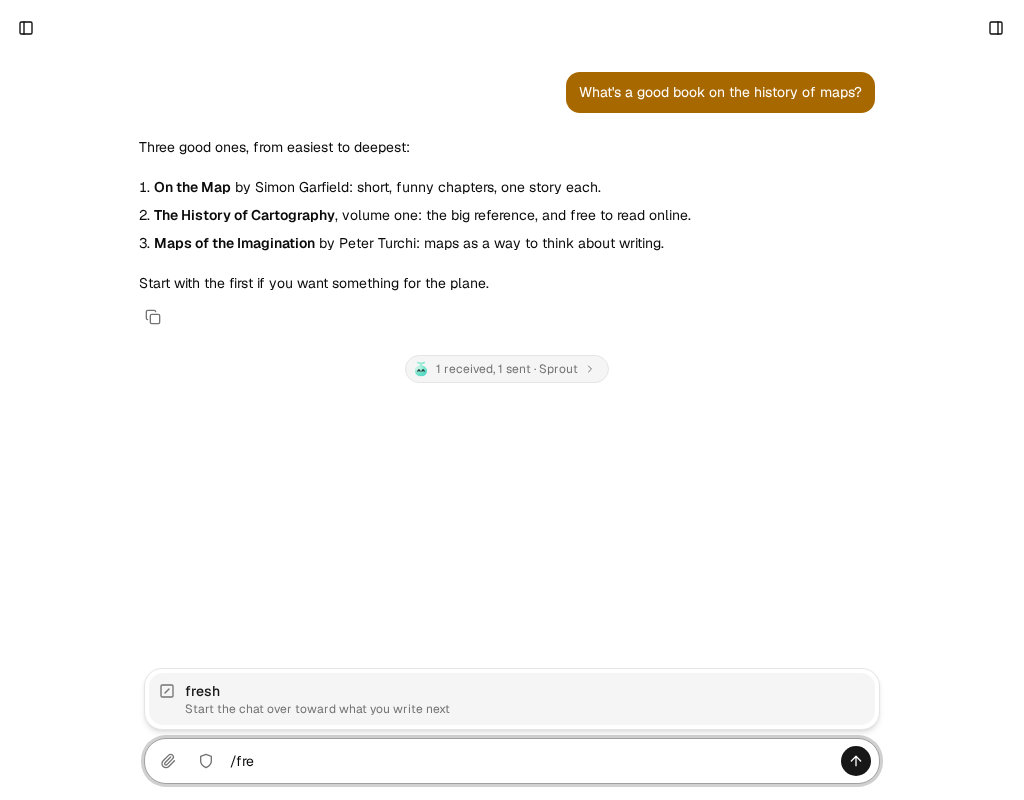
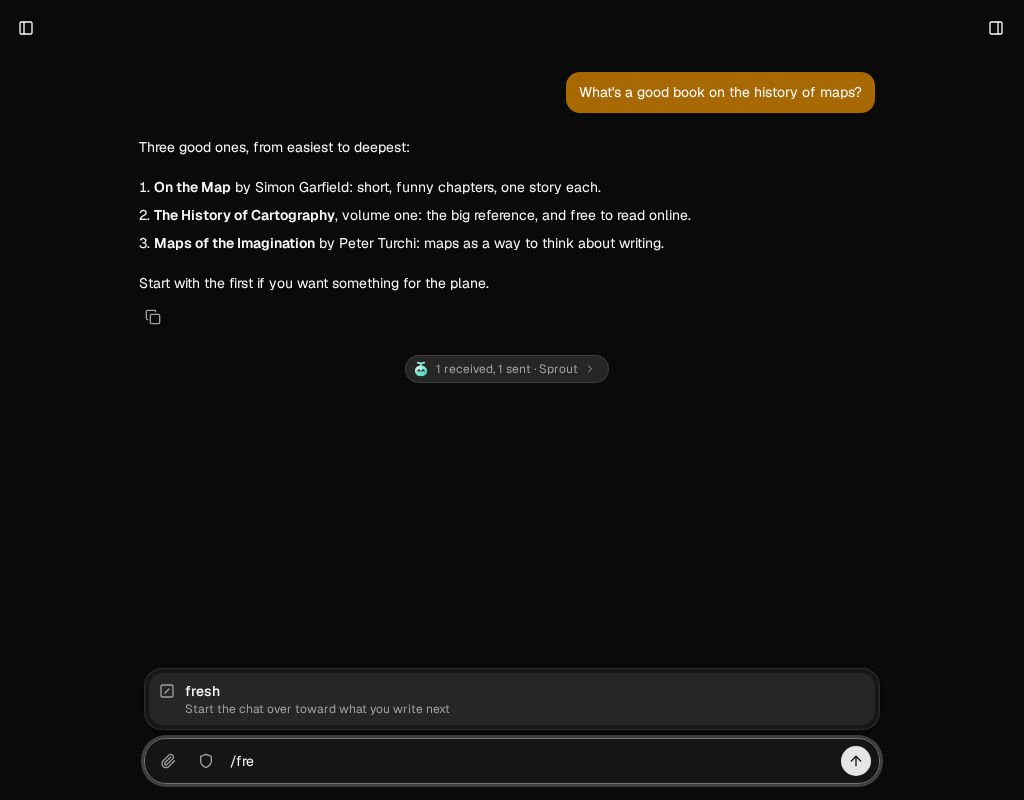
/fresh starts a bot’s chat over toward what you write next. The bot summarizes the chat so far, keeping what bears on your words, and your message starts the new chat. Use it when a chat has drifted, or when you want the bot’s full attention on something new without losing what it knows about you.
It’s built into every bot’s chat since fxbot 0.10.0. Before that, it came from the fresh plugin: see When you still have the fresh plugin.
- In a bot’s chat, type
/freshand where you want to go, such as/fresh let's plan the Lisbon trip. Typing/lists it with the bot’s skills. - Send it. The bot’s model writes the summary, which takes as long as a reply, and the message shows Thinking… meanwhile.
The chat then shows a Started over card, which opens to the summary, then your message without /fresh, and the bot’s answer. The old chat stays above the card, and the bot finds what was said there with chat_history. Every page open on the bot follows to the new chat.
What the summary keeps
Section titled “What the summary keeps”- who you are, and the preferences and rules you set, each rule in your own words
- the facts, decisions, and open tasks that bear on what you wrote, with exact names, numbers, dates, paths, and links
- what was done, apart from what was only suggested
It leaves out the threads that don’t bear on your words, in at most 600 words. /fresh alone starts over with what still matters, and sends nothing. The whole request is freshAsk in fxbot’s source.
When it doesn’t start over
Section titled “When it doesn’t start over”- A chat with no messages yet: your words go to it as they are.
- A plugin’s chat, such as a routine’s run:
/freshis ordinary text there. A chat room starts over as a whole, with chat rooms 0.5.0: see Start a room over.
When you still have the fresh plugin
Section titled “When you still have the fresh plugin”On fxbot 0.10.0 and newer, the fresh plugin shows Unsupported in Plugins, since /fresh is built in. Remove it there. It kept nothing, so nothing is lost, and /fresh works the same.
Troubleshooting
Section titled “Troubleshooting”- “Not sent: The chat could not be summarized”. The bot’s provider didn’t answer the summary, within 2 minutes at most. Nothing moved: choose Retry once the provider answers.
- A long wait. The summary is one request to the bot’s model, over the whole chat. A reverse proxy in front of fxbot must allow a request that long, as a provider switch already needs.