A routine is a task a bot runs on a schedule, such as a morning summary, with everything it has. It tells you in its chat, with what it saved, and stays quiet when there’s nothing to say.
- Add routines from Plugins, on Browse, where fxbot’s picks list it. It needs fxbot 0.6.0 or newer.
- Check Time zone in Settings › General. The first browser to open fxbot set it, and every schedule uses it.
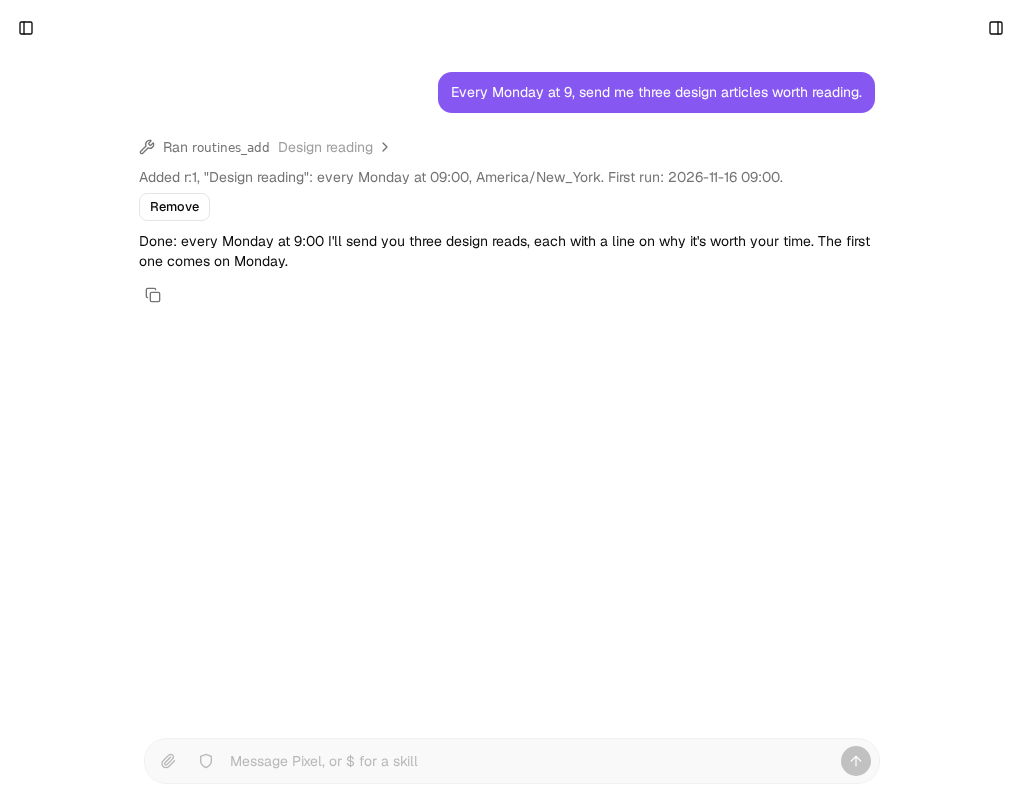
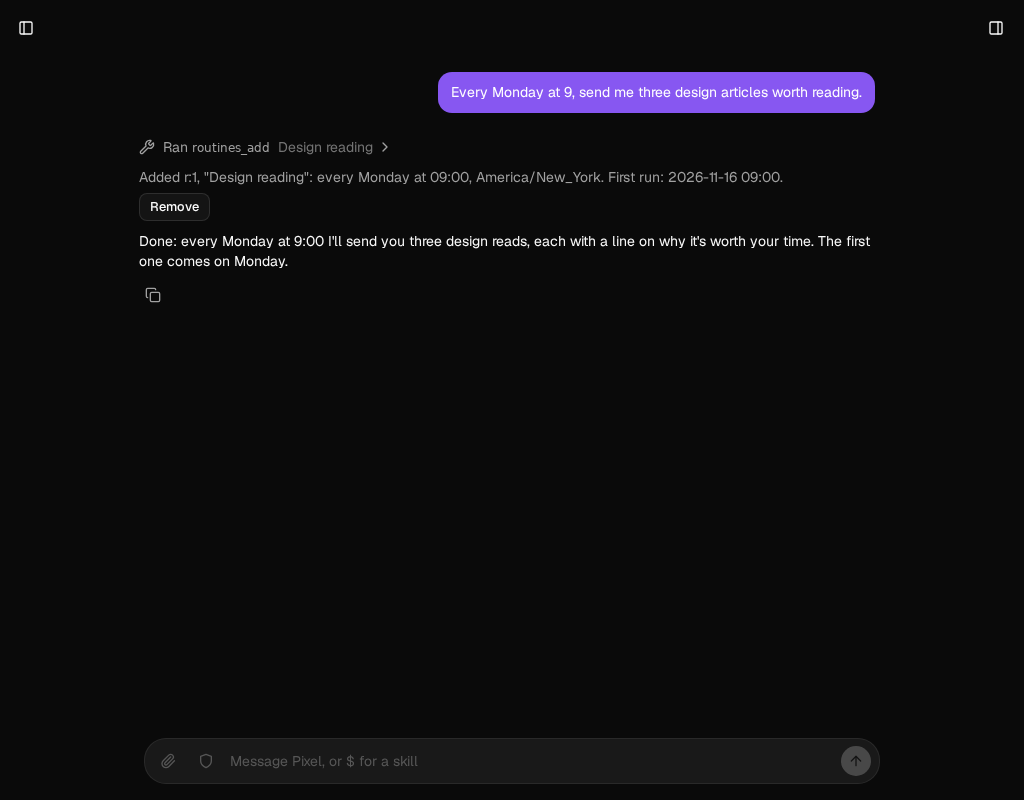
- In the bot’s own chat, say what you want, in your own words: “every weekday at 8, summarize my calendar and unread mail”, or “tomorrow at 9, remind me to call the vet”.
- The bot saves it, and the reply shows when it runs, with Remove, in case that isn’t what you meant. It’s on from then, and first runs at its next time.
When it runs, the bot works in a session of its own, beside its chat, so you can go on talking to it. Then its result arrives in its chat, under the routine’s name, and you can reply to it there.
For a task that matters only sometimes, say so: “every hour, check the price, and tell me only if it drops”. A run with nothing to say stays quiet.
What a run can do
Section titled “What a run can do”Everything the bot can do in its chat. It has its tools, its computer, the MCP servers you allowed it, its skills, its memories, and its library, and whatever else your plugins give it. What it saves to its library comes back with the result, and opens from the chat. Up to 5 files go with the message, and it names the rest, which stay in its library.
No one is watching a run, so:
- The task is your say-so for what it names, and for nothing else. If it says to send the report, the bot sends it. What you didn’t ask for, such as sending, buying, signing in, or deleting, it leaves undone, and says so. Write the task with that in mind.
- A step only you can do stops the run. If a sign-in has lapsed, the bot says what it needs. On its computer, it hands you the desktop: take over, sign in, and choose Hand back, and it goes on in its chat. Until then, its desktop and terminal tools wait.
- A run and its chat share the bot’s computer. Commands are fine side by side. Two turns on one desktop or browser can get in each other’s way, so time a routine that uses the desktop for when you aren’t using it.
See and change routines
Section titled “See and change routines”Open the bot’s settings. Routines lists each one, with when it runs next and its newest runs. Each has a switch, Run now, and Remove. While one runs, Stop ends it, and Show opens what a run said.
To change a routine, ask the bot in its chat: “move the morning summary to 7”. Routines are made and changed only in the bot’s own chat, so a page it reads or another bot can’t add one. To see them all, ask it to list them.
Set its limits
Section titled “Set its limits”Open Settings › Routines:
| Setting | What it is | Default |
|---|---|---|
minutes |
The most minutes one run takes, up to 240. Raise it for long work on a computer. | 15 |
calls |
The most tool calls one run makes | 100 |
everyMinutes |
The fewest minutes between a routine’s runs, at least 5 | 15 |
routines |
The most routines a bot can have | 20 |
atOnce |
The most runs going at one time | 3 |
failures |
Failures in a row before a routine pauses | 10 |
keepRuns |
How many of a routine’s runs to keep | 20 |
A bot can’t change these.
If it doesn’t work
Section titled “If it doesn’t work”- It ran at the wrong time. Check Time zone in Settings › General.
- A time was skipped. When the clocks go forward, a time they skip doesn’t happen that day, so a routine at 02:30 can miss one day a year. A time that comes twice runs once.
- It says Missed. fxbot wasn’t running at that time, and the run would have been too late to be worth making: more than half the time between its runs, from 2 minutes to 2 hours. A one-time routine still runs up to a day late. One a restart cut off doesn’t run again, since its tools may have done their work.
- It says Skipped. The run before it was still going.
- It stopped by itself. After 10 failures in a row it pauses, and the bot says so. You hear about the first failure too. The switch turns it on again.
- It’s cut off at the time limit. Raise
minutes. - The bot can’t say when. A routine runs on a five-field cron or once at a time, so “every other Tuesday” and “the last day of the month” don’t fit. The bot says so, and the reply shows what it saved.