# Hand work to subagents
A bot can start subagents: helpers that work in the background on one task each, while it carries on talking with you. Each subagent is the bot itself, run again in a session of its own, with its tools, computer, skills, and memories, but not its chat.
1. Add **subagents** from **Plugins**, on **Browse**, or with **Essentials**, which has it. It needs fxbot 0.10.0 or newer.
2. Ask a bot for something that takes a lot of digging: "compare the three hosting offers, and check what each says about backups". The bot hands it to subagents, one for each part, tells you what it started and that it'll come back with the results, and you can carry on talking with it.
3. When the last of them has ended, their reports reach the bot together, in one message from **Subagents**, and the bot tells you what they found.
Each subagent has a name of its own, a scientist's, such as Curie or Ramanujan, that none in the bot's list has, and a color of its own too. A subagent hasn't seen your chat, so the bot puts everything it needs in its task.
With the plugin on, a bot hands work that takes a lot of digging to subagents by itself. To have it start one only when it decides to, set `handOff` to `off`.
## They talk with the bot
A subagent can't ask you anything, but it can tell the bot's chat what can't wait for its report: a question only the chat can answer, or a finding to act on now. It shows in the chat as a message from the subagent's name, joins what the bot is doing, or wakes it, and the subagent carries on. A subagent does this at most five times.
The bot answers, or changes a subagent's task, by messaging it by name: the message reaches the subagent at its next step, while it works. You can ask the bot to do it: "tell Curie to look only at EU regions".
## Watch them work
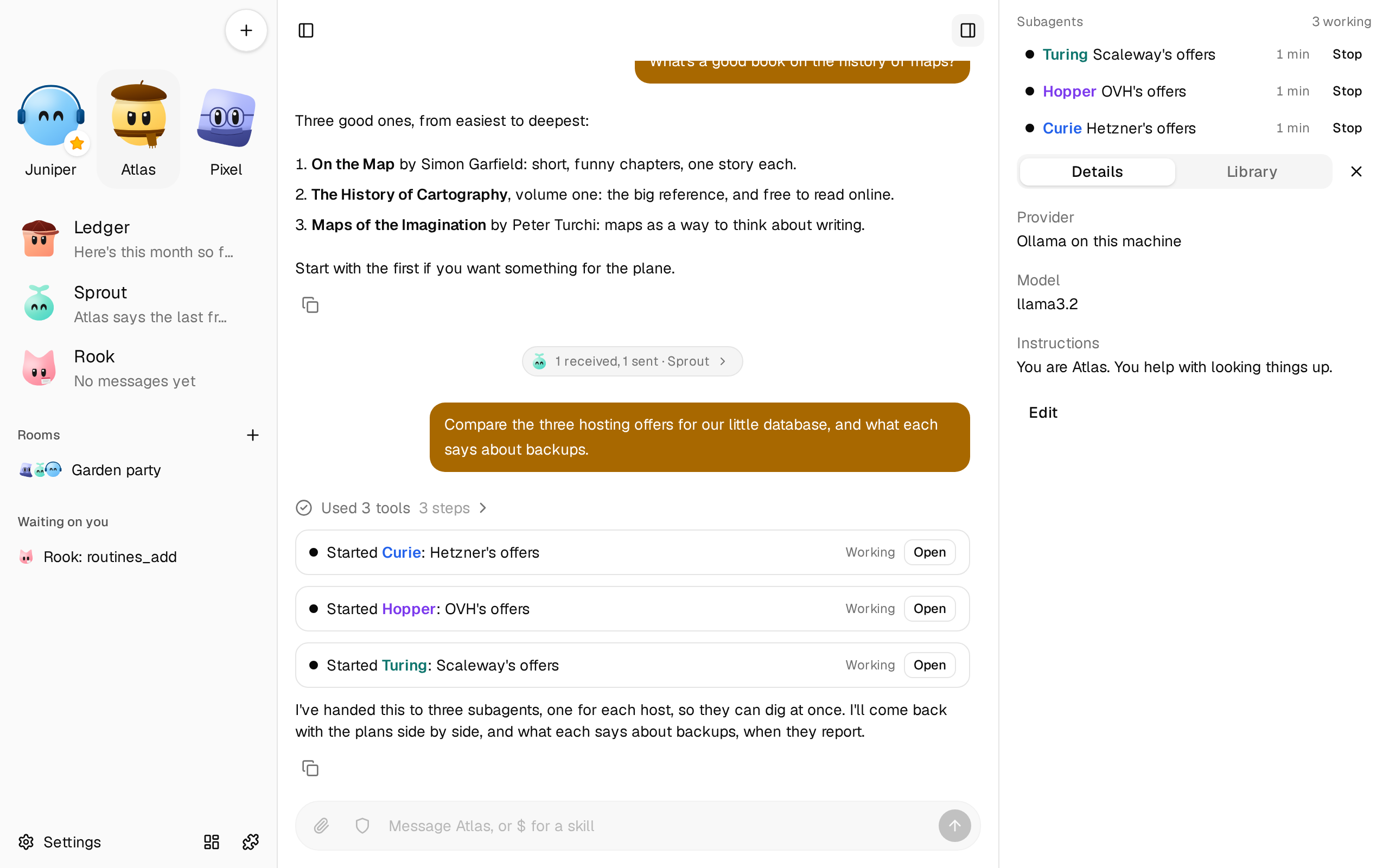
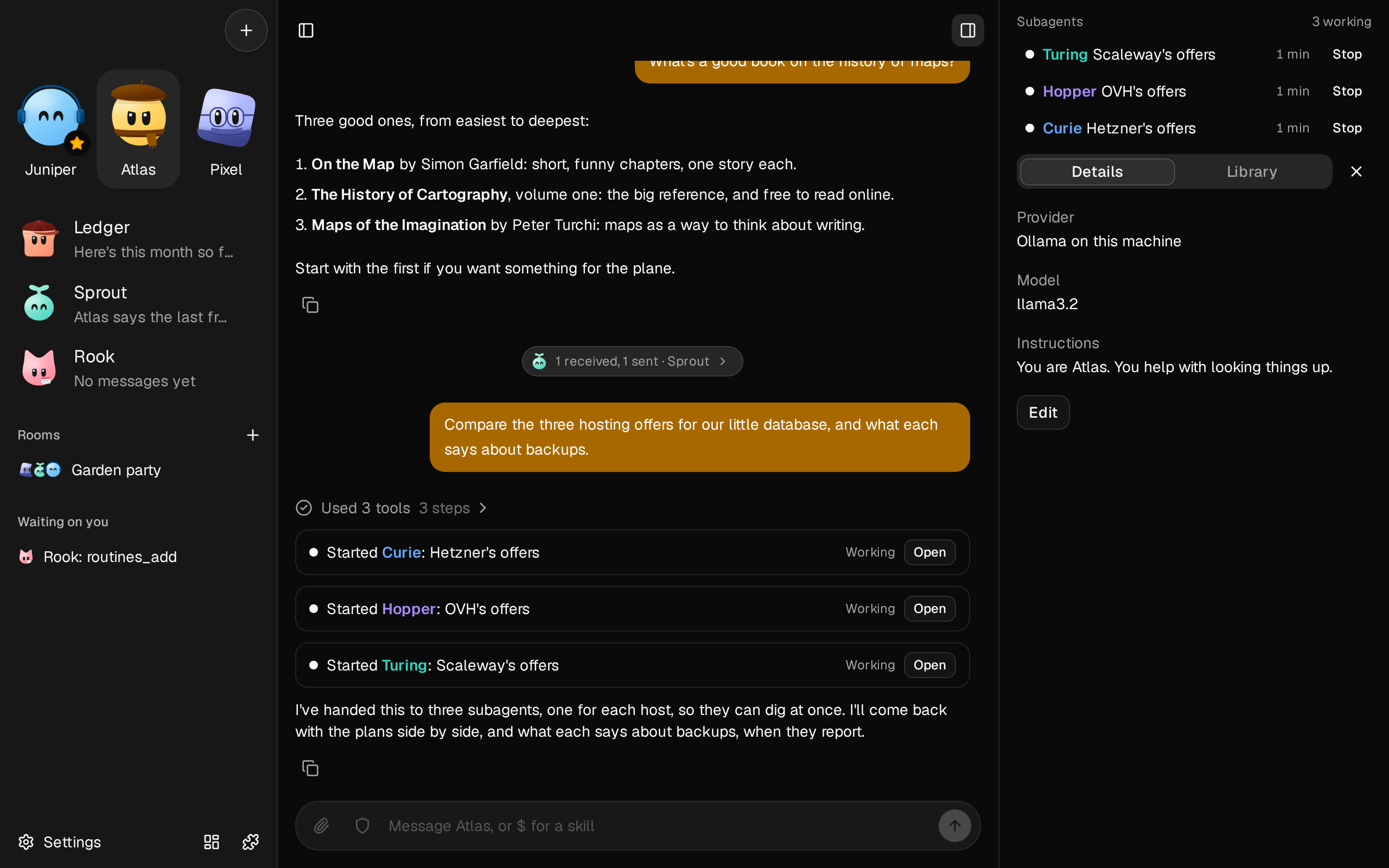 The bot's panel, on the right of its chat, lists its subagents under **Subagents**, each with its name in a color of its own and what it's working on: the ones working, with the tool each is in and how many calls it has made, and those that ended in the last day. Past the three newest that ended, the rest fold under **N earlier**. On a phone, the panel opens from the button at the top right of the chat.
Click one to open its thread: its task, each step it takes, and what it found, as it works. When it ends, the thread says how long it took, its calls and tokens, and that it reported to the bot. The back button returns to the chat.
In the chat, the bot's call that started one shows as a card, such as **Started Curie**, with how it's going and **Open**.
## Stop one
**Stop** is on a working subagent's row, and on its thread. The bot hears that you stopped it, with the others' reports. You can also ask the bot to stop one.
**Stop** in the bot's chat stops what the bot is doing there, not its subagents: they're background work.
## What a subagent can do
All the bot can do, but for what its chat decides. A subagent can't:
- start a subagent of its own
- save or forget memories, message your other bots, or make routines
- ask you anything, or hand you the computer, though it can tell the bot's chat
It says in its report what it would do, and the bot decides, in its chat with you. With [Permissions](/docs/how-to/choose-what-a-bot-can-do-alone/), a subagent's call that needs your OK waits at a card in the bot's chat, as other background work does.
Subagents start only in a bot's own chat with you, not in a room or a routine's run.
## On the computer
A bot's subagents share its [computer](/docs/how-to/give-bots-a-computer/), and work on it together as a room's bots do:
- **Each has its name and arrow** on the computer's screen, such as "Ann · Curie", and each is told what the others did last.
- **Each has its own browser tab,** with the bot's sign-ins, so they can browse at once.
- **They take turns at the desktop and the terminal.** One that finds another using either waits for its turn, up to a minute, then works in the shell or its browser tab meanwhile.
- **Each is told to keep its files** in a folder of its own, `~/subagents/s/`.
## What it costs
A subagent's requests carry the bot's instructions and tools, and its task, but not the chat, so each is smaller than the chat's. Its whole run counts toward your provider's usage, as the bot's own turns do. Passing their reports on is one more turn of the bot, with its whole chat as context, once for each batch.
## Set its limits
Open **Settings** › **Subagents**:
| Setting | What it is | Default |
| --- | --- | --- |
| `atOnce` | The most subagents a bot has working at one time, up to 10 | 4 |
| `perAsk` | The most subagents one request from you leads to, up to 50 | 10 |
| `minutes` | The most minutes one subagent works, up to 240 | 60 |
| `calls` | The most tool calls one subagent makes, up to 1,000 | 100 |
| `keepDays` | How many days an ended subagent is kept, up to 90 | 30 |
| `handOff` | `on`: the bot hands work that takes a lot of digging to subagents, and tells you it'll come back with the results. `off`: it starts one only when it decides to | `on` |
| `thinking` | How hard subagents think: `same`, the bot's own [level](/docs/how-to/choose-how-hard-a-bot-thinks/), or a level such as `low`, `medium`, `high`, `xhigh`, or `max` | `same` |
| `blocked` | Tools a subagent can't call | its chat's: memories, messages, routines, and asking you for the computer |
`perAsk` counts the subagents your message started, and those the bot starts from their reports. A bot can't change these.
## If it doesn't work
- **The bot says it can't start one.** It has as many working as `atOnce`, or your request has led to `perAsk` already. Wait for their reports, or raise the setting.
- **A subagent stopped, "cut off when fxbot or this plugin restarted".** A restart, or an update of the plugin, stops the subagents working then. They aren't run again, since their tools may have done half the work. The bot hears it, and can start one again.
- **It failed at the time limit.** Raise `minutes`, or ask for smaller parts.
- **A subagent waited for the desktop.** Another of the bot's subagents was using it. It gets its turn when the other's turn ends, or a minute passes.