# Draw diagrams in chat
With the **mermaid** plugin, the ```` ```mermaid ```` code blocks your bots write draw as diagrams: flowcharts, sequence diagrams, state diagrams, timelines, charts, and the rest of [Mermaid](https://mermaid.js.org)'s types.
1. Add **mermaid** from **Plugins**, on **Browse**. It needs fxbot 0.9.0 or newer.
2. Ask a bot for something a picture explains: "draw how a refund goes through our support", or "show the steps between the app, the server, and the bank when someone pays".
3. The diagram draws in its reply, as the bot writes it.
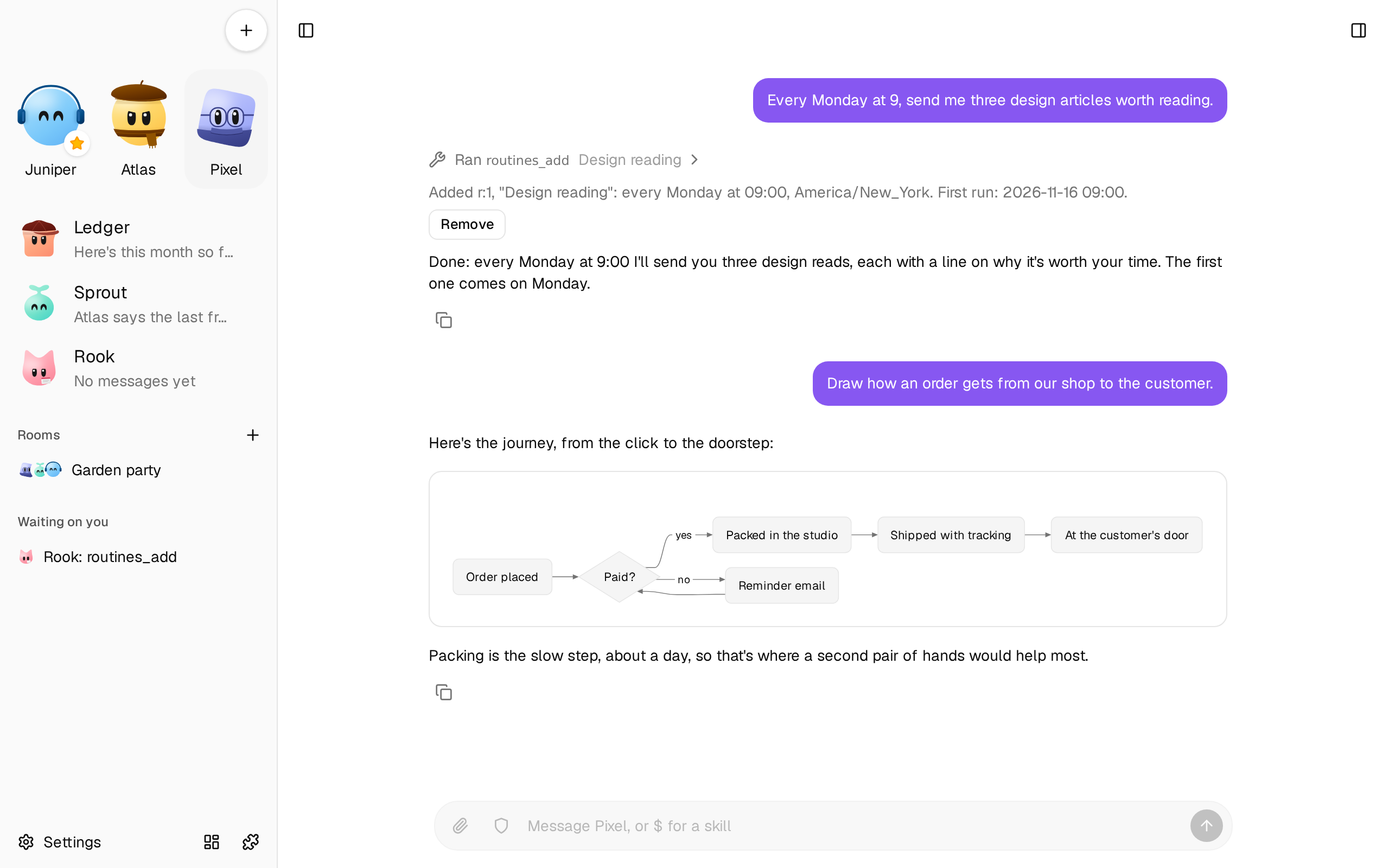
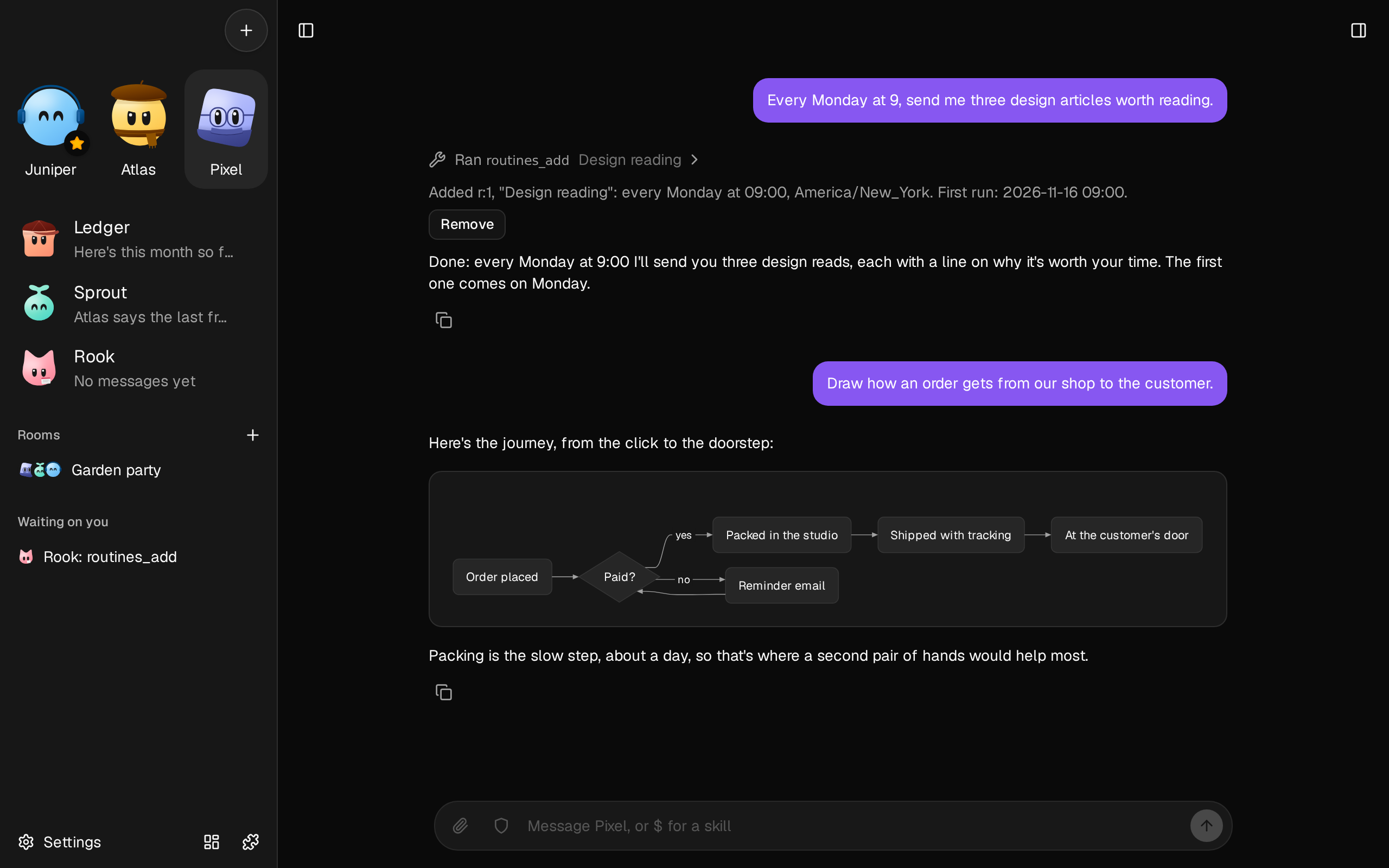 Bots draw one by themselves when a picture explains it better than words, such as a process, the steps between people or systems, a structure, or a timeline. To have one, or to stop them, say so.
## Where they draw
In a bot's replies, in [Markdown pages](/docs/how-to/keep-what-a-bot-writes/), in [rooms](/docs/how-to/talk-in-a-room/), and in a document's preview in the library. A diagram takes the app's colors and font, and follows light and dark with your system. On a phone, a wide one turns to run top to bottom.
While a reply streams, the diagram grows as lines arrive.
## Use one
The buttons at a diagram's top right show on hover, and always on a phone:
- **Show the code** switches to the diagram's Mermaid source, and back.
- **Copy the code** copies the source.
- **Download as SVG** saves the diagram, in today's colors, to open anywhere.
- **Expand** opens it full screen, at its own size, to scroll around a big one.
## When one doesn't draw
A diagram with a mistake shows its code, and a line saying what's wrong and where. Tell the bot, "the diagram didn't draw", and it fixes it.
Bots check a diagram with the `mermaid_check` tool before they send it, which draws it as you'll see it. A diagram that takes longer than 3 seconds to draw stops, and shows its code, and so does one over 50,000 characters.
## What a diagram can't do
Diagrams in fxbot have no links, images, icons, or math, and a diagram can't change its own colors or font: the app sets them. The plugin draws with [Pele](https://pele.run), Obsidian's Mermaid renderer, which reads Mermaid's syntax with a layout and look of its own, so a diagram can look a little different from Mermaid's.