# Choose what a bot can do alone
Decide what each bot does by itself and what it asks you about first, with a mode for each bot, a card in its chat, and rules you build as you go.
1. Add **permissions** from **Plugins**, on **Browse**, where fxbot's picks list it. It needs fxbot 0.6.0 or newer.
2. Every bot starts on **Auto**. To change one, press the shield beside its message box, in the middle of a chat if you like, or open **Permissions** in its settings.
 ## The three modes
| Mode | What it does |
| --- | --- |
| **Ask** | Asks you before anything but a safe tool |
| **Auto** | Runs safe tools and everyday work. A reviewer model looks for what's risky, and asks you about it unless you asked for it |
| **Yolo** | Runs everything, with no checks. It's what fxbot does without this plugin |
A safe tool only reads, or writes the bot's own notes: its memories, its library, its chat history, and its skills. Tools from MCP servers are never safe, whatever they say about themselves.
## Answer a card
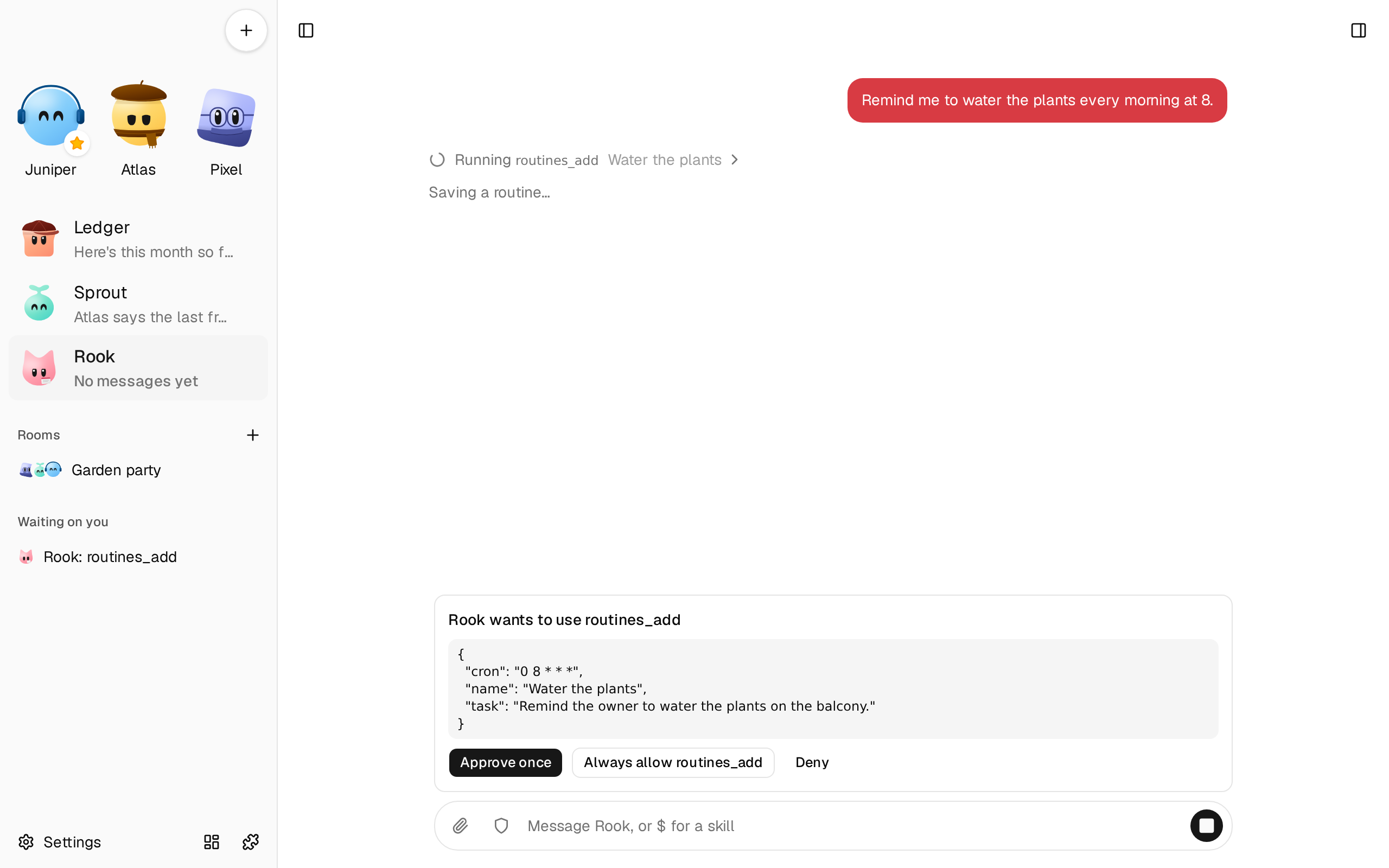
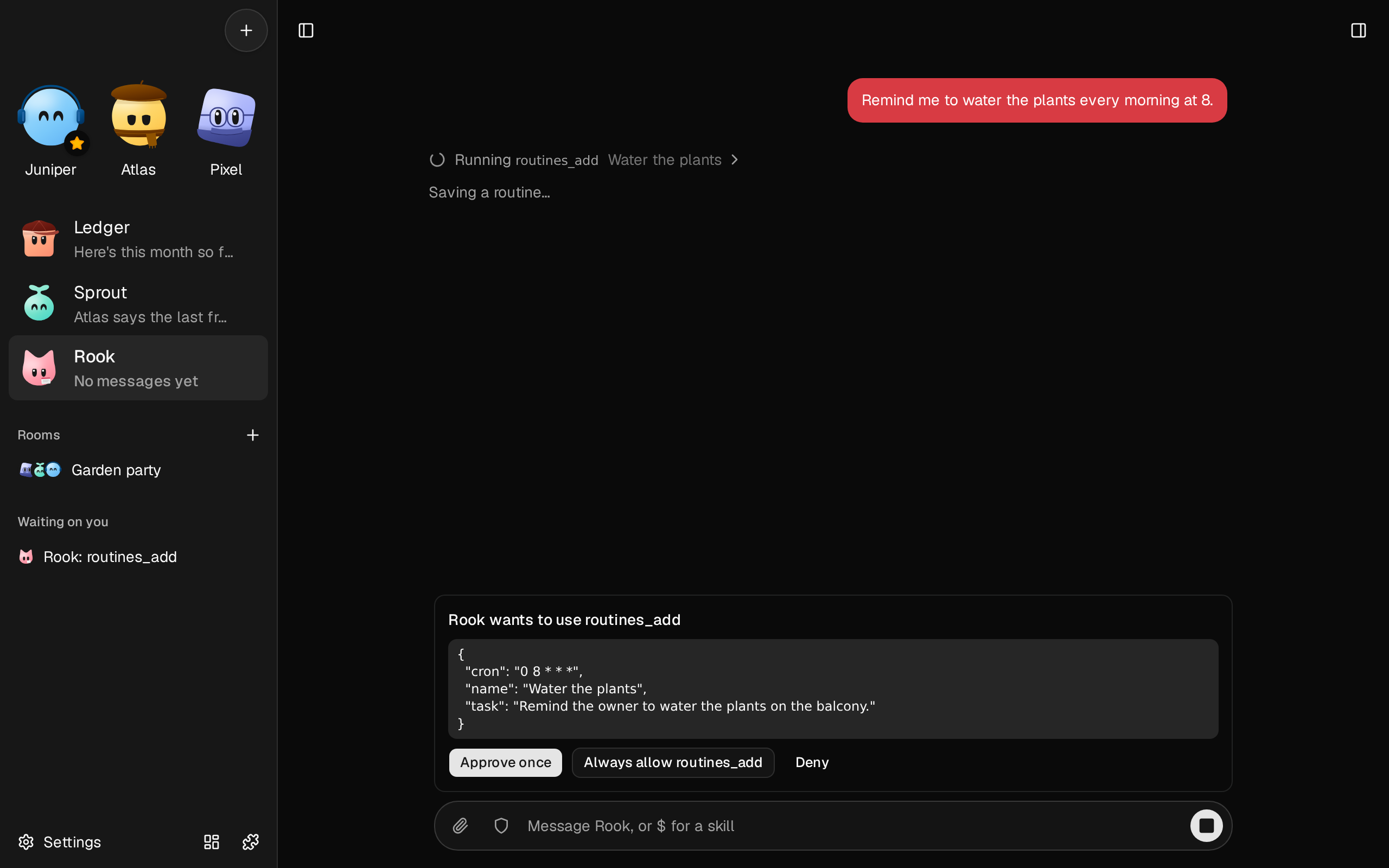
When a call needs you, a card shows above the bot's message box, with exactly what it wants to do. **Waiting on you** in the sidebar lists every open card, wherever you are in the app. In a room, the header shows how many are waiting.
- **Approve once** runs this call.
- **Always allow** runs it and saves a rule, so it won't ask again.
- **Deny** stops it, and you can say why. The bot won't try the same thing again until you write to it, and three no's in a turn make it stop and tell you.
Writing to the bot instead of answering closes the card, and the bot reads what you wrote.
## Rules
**Always allow** saves a rule for that bot. Most rules are a whole tool. For the computer's shell, terminal, and desktop, a rule is that exact action, down to the spaces, since allowing those tools outright would be the same as **Yolo**.
A bot's rules are under **Permissions** in its settings, each with **Remove**.
## Work you didn't start
A card from a routine, a room, or another bot expires after 30 minutes, and the action doesn't happen. The bot hears that no one answered, which isn't a no. An expired card stays until you dismiss it, and can still save a rule for next time.
A card from your own chat waits for as long as you take, and the bot waits with it. **Stop** ends it.
## Pick the reviewer
**Settings** › **Permissions** has the reviewer. It's each bot's own model at first, or you can pick a provider and model for every bot. A small, fast one is usually enough, and costs less.
The reviewer sees what you wrote and the action. When a bot works on what you asked another bot, which passed it on, the reviewer sees what you asked, in your words, too. It allows everyday work, such as editing files, running builds and tests, installing packages, and starting services, whether or not you asked for that step. It asks you about what's risky, unless you plainly asked for it: deleting what can't be put back, changing something outside the bot's own computer, such as a remote API, a deploy, or a push, touching secrets such as keys and passwords, weakening security, and spending money. It doesn't see tool results, what other bots said, or the rest of the chat, so what fooled the bot can't reach it, except through the action itself.
## What it can't do
- A reviewer misses things, and a page can be written to fool one.
- **Auto** checks the action, not the outcome: a harmless-looking command can do harm.
- A rule isn't reviewed again once it's saved.
- Safe tools run with no check, so a bot talked into saving a bad memory isn't stopped.
- **Yolo** does what it says.
## What it costs
In **Auto**, each new risky call is one model request of a few hundred tokens, and a few seconds' wait. A busy computer session could be hundreds of them, so a cheaper reviewer and a few rules help. Safe calls, and calls a rule allows, add nothing.
An open card holds that bot's turn, which takes one of **Turns at once** in **Settings** › **General**.
## Set its limits
Open **Settings** › **Permissions**:
| Setting | What it is | Default |
| --- | --- | --- |
| `mode` | A bot's mode until you set one: ask, auto, or yolo | `auto` |
| `seconds` | The most seconds a review takes, 5 to 300 | 60 |
| `expires` | The minutes a background card waits, 1 to 1,440 | 30 |
| `trusted` | Plugins whose turn text counts as your words, such as a routine's task | `routines` |
| `exact` | Tools whose rules are the exact action | `computer_shell, computer_terminal, computer_desktop` |
A bot can't change these, its mode, or its rules.
## If it doesn't work
- **Every risky call shows a card that says the reviewer couldn't check it.** The reviewer failed or timed out. Check its provider in **Settings** › **Permissions**, or raise `seconds`.
- **A routine doesn't get its work done.** Its risky calls are waiting on cards. Add a rule from a card, or use a bot on **Yolo** for that routine.
- **A card asks about something you allowed.** On the computer's tools, a rule is that exact action, so a different command asks again.